Personal files on the people who matter
You walk into a meeting with someone you last saw six months ago. You know he has two kids, but the names are gone. You remember he doesn't drink, yet you're already reaching to pour. And his birthday was three days ago — you never noticed.
That's how relationships quietly fade. Not from arguments, from forgetting. The more people around you — partners, useful contacts, neighbors, doctors, contractors — the faster the details blur. Holding it all in your head is impossible. Your phone book only has a number.
The People section in HQBerry is built for exactly this. Here's how it works and why it helps.
What a "personal file" on a person is
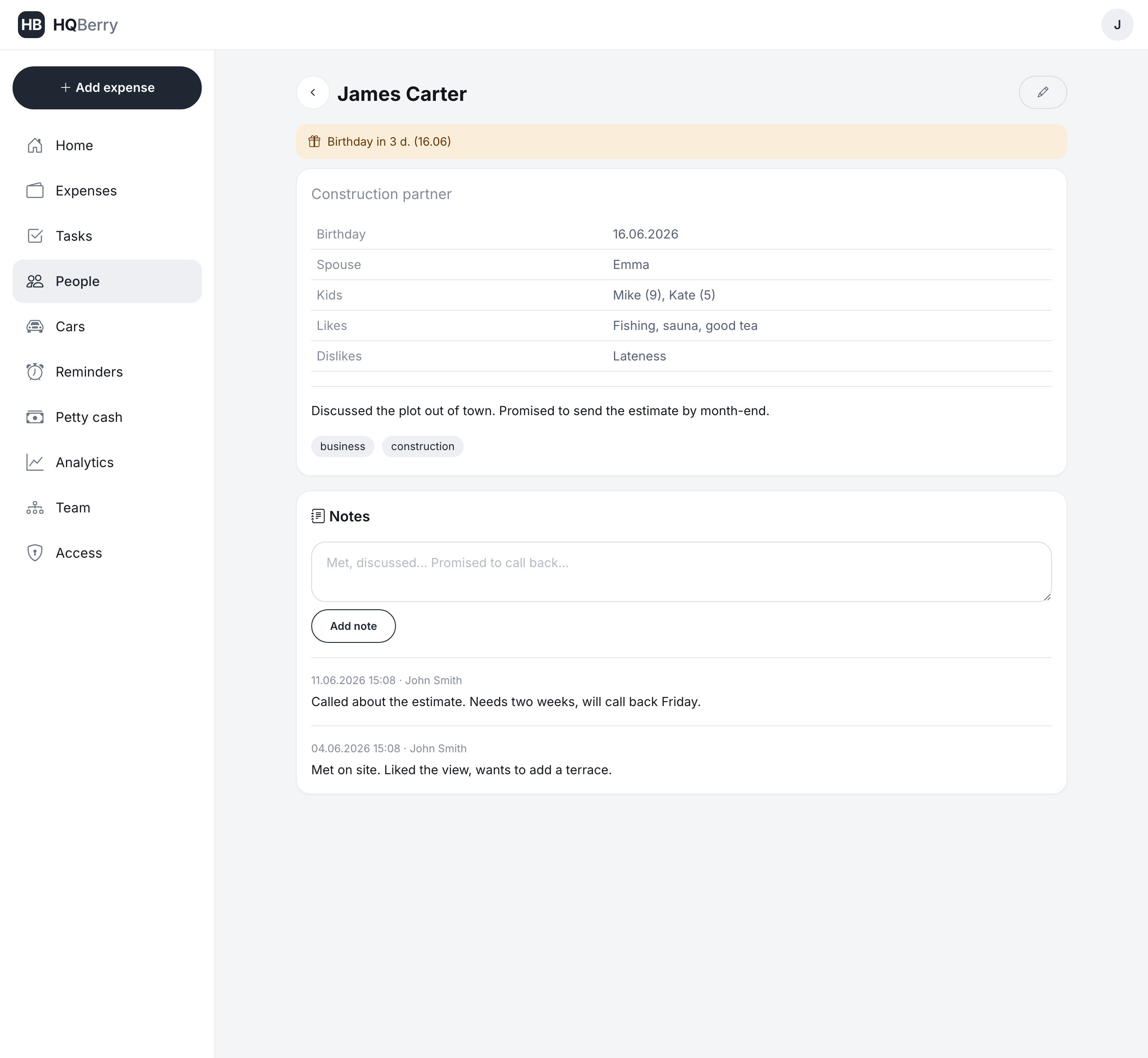
A personal file is a short card for each person who matters to you: who they are, when their birthday is, their spouse's and kids' names, what they like, what they can't stand, and what you talked about last time. Not a dry contact with a number — memory of a relationship.
In HQBerry a card takes a minute to create. It has the fields that actually get used, and none of the ones people fill in "for show":
- First and last name
- Who they are — "construction partner", "pediatrician", "neighbor"
- Birthday
- Spouse and kids (with ages: "Mike (9), Kate (5)")
- Likes — fishing, sauna, good tea
- Dislikes — lateness, talking politics
- Tags — "business", "family", "key people" (you search by them later)
- Note — anything worth remembering
You don't have to fill it all in at once. Wrote down a name — already useful. The rest gets added as you learn it.
Birthdays you find out about in advance Reminds you
The trouble with birthdays is that they hit you on the day itself or the day after. Too late to congratulate on time, no time for a gift.
HQBerry shows birthdays ahead of time. As soon as a date is 30 days away or closer, the person is highlighted in the list with a gift badge: "birthday today", "tomorrow", "in 5 days". The same badge sits on their card and on your home screen. You see it every time you open the app, so missing a date is physically hard.
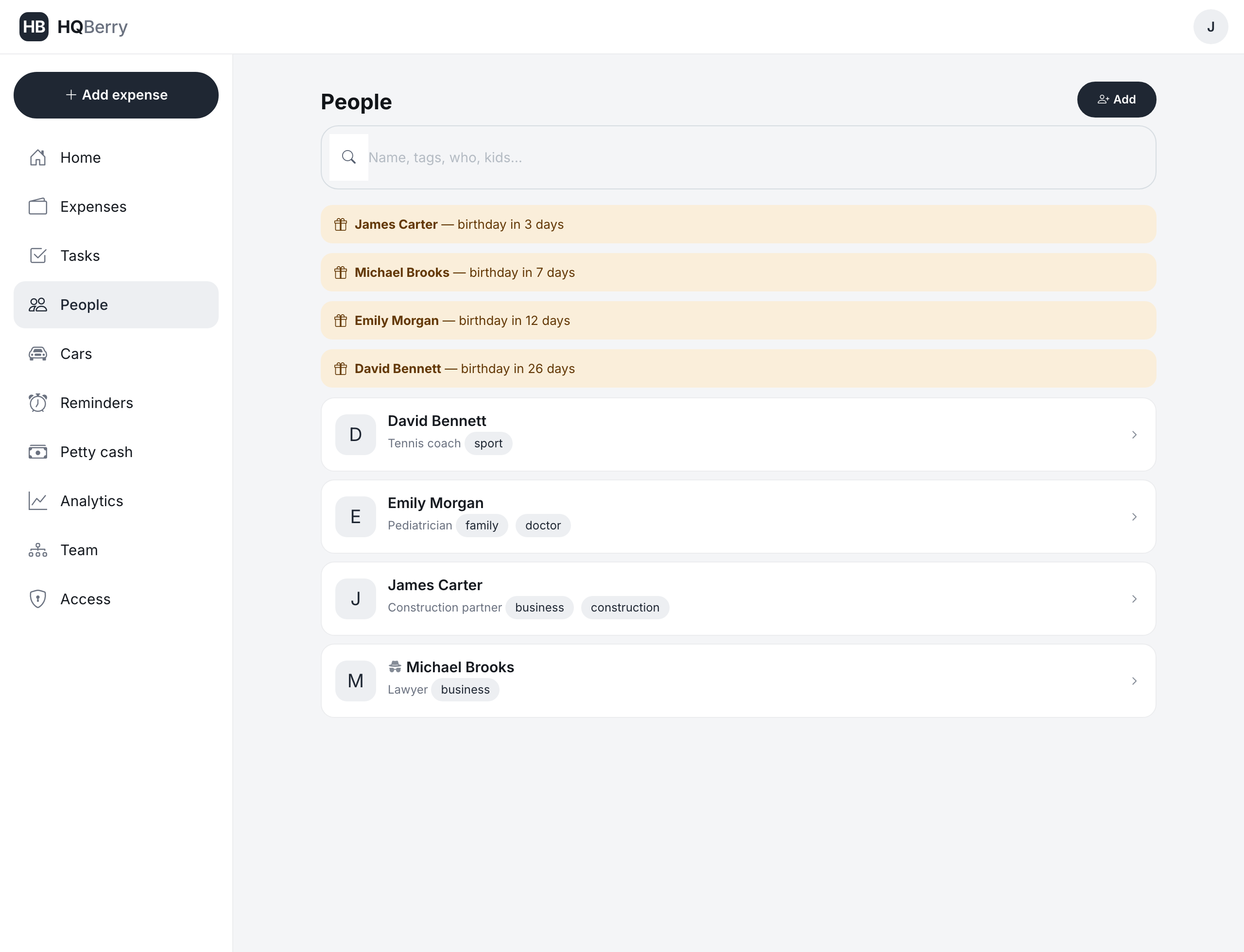
A Telegram bot reminds you too: in the morning a message arrives that James has a birthday in three days. Right in the messenger, without opening the app.
Notes after meetings: memory that doesn't wear off
After any conversation something is worth keeping. "Promised to call back about the plot." "His wife was ill — ask how she is." "Looking for an investor for a café."
Each person's card has a notes feed. You add a line after a meeting — it stays, with the date and who wrote it. Six months later you open the card before a new conversation and see the whole history: what you discussed, what was promised, what the person was living through. You show up prepared, and the other person feels remembered.
Who got what: linking people and expenses
Gifts are forgotten even faster than names. What did you give last year? Three years ago? So you don't repeat yourself.
In HQBerry an expense can be linked to a person. Their card then shows the list: what you spent on them and when, with amounts and a total. Handy for gifts, for seeing who you invest in, and just to keep the history at hand.
Secret contacts: who your assistant manages without knowing who it is Only in HQBerry
This is the feature you'll find almost nowhere else — and the reason people come back to the section.
Your assistant often handles your people: reminding you of birthdays, ordering gifts, keeping notes. But some contacts' real names are none of their business. A partner in a delicate deal. Someone better left unnamed. Someone close whose name isn't for other eyes.
For that, HQBerry has a secret contact with a cover name. You mark a person as secret and give them a name for cover. From then on:
- You (the owner) see the real name and all the details.
- Your assistant sees the contact under the cover name. They know "this person" has a birthday next week and can remind you. But they don't see the real name, family, habits, notes or expenses — and can't edit the contact.
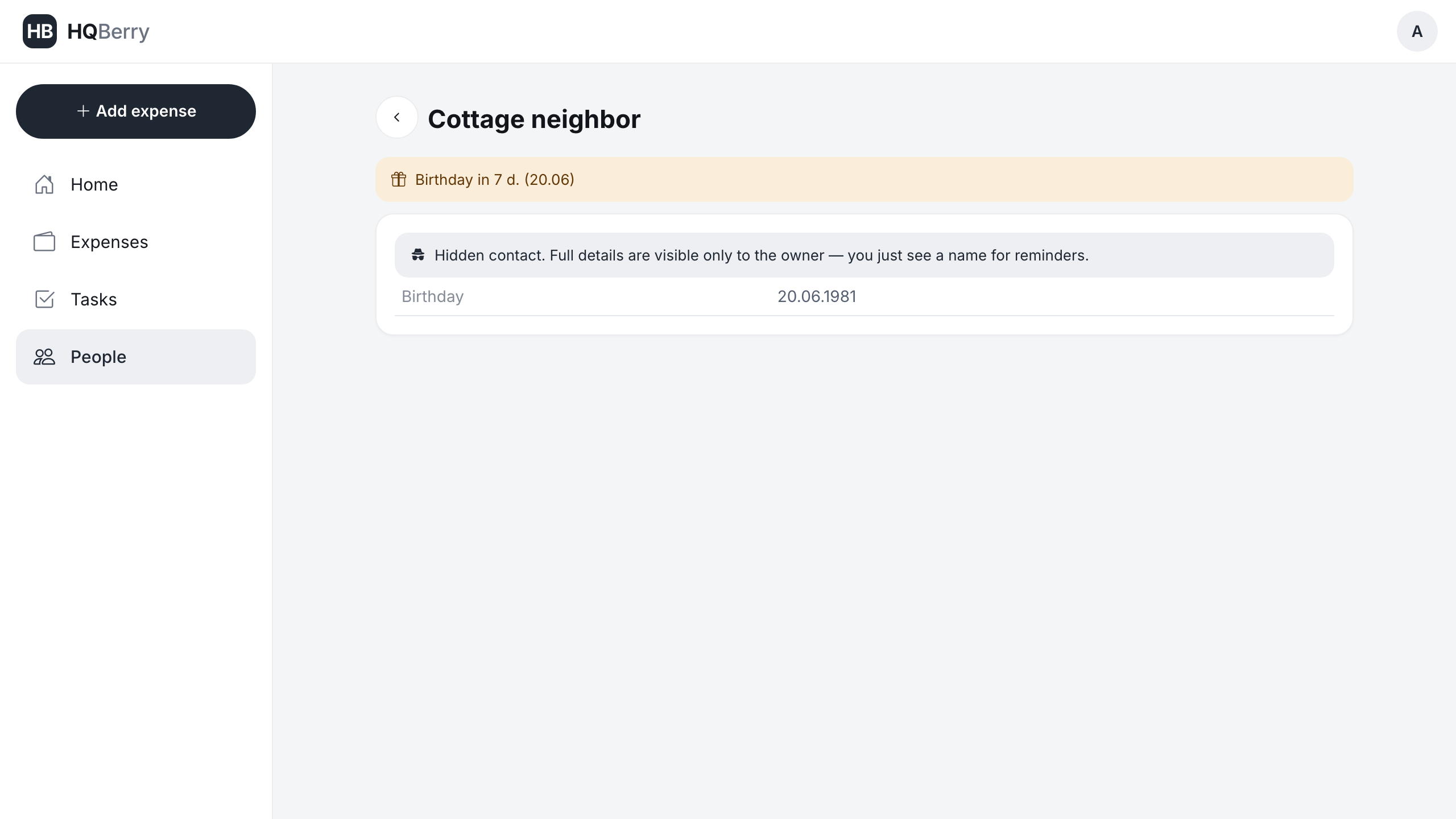
So your assistant stays useful (reminds, follows up) and privacy stays yours. Only the owner turns secrecy on and off; an employee can't.
Security and privacy Security
Personal files are sensitive data, and we treat them that way.
Every account is isolated. HQBerry is built so one owner's data is never reachable by another, under any circumstances. It isn't a setting you can switch off by accident — it's the foundation of the architecture: a request for someone else's record simply returns "not found".
You set the permissions inside your team. The People section is visible only to the owner and the assistant by default. A driver or other employee doesn't see it at all. Who sees what — you hand out yourself in the Access section, no developer needed.
Real names are hidden even from the assistant. Secret contacts are managed under a cover name, without the assistant knowing who it really is. What's private stays yours.
How it works: your staff fills it in, you just look
The core idea of HQBerry: people on your team work inside the system, and you watch over it. The assistant keeps the cards, adds notes after calls, follows the birthdays. You open the app and in ten seconds see who has a celebration coming up and what's new. Minimum of your time, maximum memory of people.
FAQ
How is this different from contacts in my phone? Your phone has a number. Here you have who the person is, their family, habits, the history of meetings and gifts, birthday reminders. It's memory of a relationship, not a directory of numbers.
Who will see my personal files? Only you and those you grant access to. By default the section is open to the owner and the assistant. Employees without access don't see it. Your account's data is not available to other HQBerry users.
Can my assistant manage people without knowing who they really are? Yes. That's what secret contacts with a cover name are for: the assistant sees the contact under a different name and can remind you about it, but doesn't see the real name or personal details.
Will the system remind me about a birthday? Yes. From 30 days out and closer, the person is highlighted in the list and on the card, counting down to the date. A Telegram bot reminds you of the nearest birthday in the morning too.
Do I have to fill in every field? No. A name is enough. The rest gets added as you get to know the person.