Berry — the AI Assistant That Gets Things Done: Tasks, Expenses, Team

Running a household staff is dozens of small actions a day. Assign a task to the driver. Log the assistant's expense. Don't forget the service due next week. Recall how much went out this month. Each one is tiny; together they're a constant background hum that eats your attention.
An ordinary chatbot is no help here: it talks and forgets. You don't need someone to chat with — you need an assistant that actually gets things done. That's why HQBerry has Berry — a built-in AI assistant.
Berry is an AI agent: it doesn't just answer questions, it sees your account and takes actions in the system — creates tasks, logs expenses, sets reminders — each one with your confirmation. You write to it in plain words, like to a real person. Let's see what it can do.
It doesn't chat — it acts Takes action
The main thing that sets Berry apart from a normal chat: it can change data in the system. Not "here's a how-to, go do it yourself", but actually drafting it for you — a task, an expense, a reminder, a contact.
Say it in plain words: "create a task for Michael to wash the car tomorrow" — and Berry understands who (it finds the driver on your team, even if you only gave a first name), what, and when ("tomorrow" it turns into a date itself). Then it doesn't blindly say "done" — it shows a card with what it's about to do and a "Confirm" button.
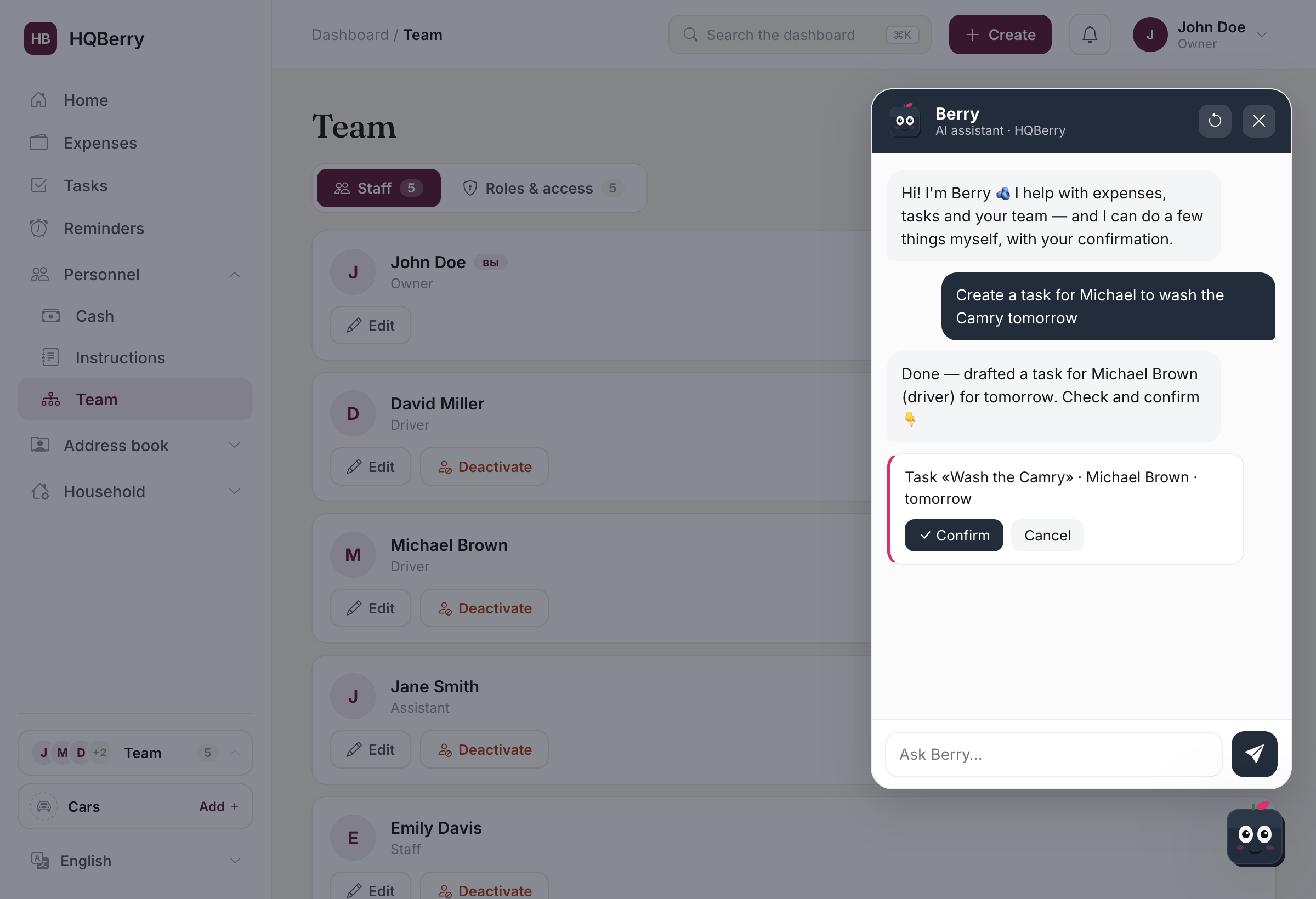
One tap and the task is created, the assignee notified. Changed your mind — "Cancel", and nothing is saved.
What you can ask Berry
Berry understands plain speech, no rigid commands. Just a few examples.
Ask — it answers from your data:
- "How much did we spend this month, and on what?"
- "Who's on my team and who handles what?"
- "What's coming up — service, insurance, birthdays?"
- "Where do I log cash given to the driver?"
Tell it to do — it does, with confirmation:
- "Create a task for Michael to wash the car tomorrow"
- "Log a $40 expense for cleaning supplies"
- "Remind me about payroll on the 5th"
- "Add Maria to contacts, birthday April 12"
Write however is comfortable — Berry handles the phrasing and typos.
It knows your account and answers with numbers From your data
Berry sees your account context, so it answers from your real data, not generic averages.
- "How much did we spend this month?" — it names the amount and where most of it went.
- "Who's on my team?" — it lists your staff and their roles.
- "What's coming up?" — it reminds you of service, insurance and upcoming birthdays.
- "How do I add an expense with a receipt photo?" — it points you to the exact section and button.
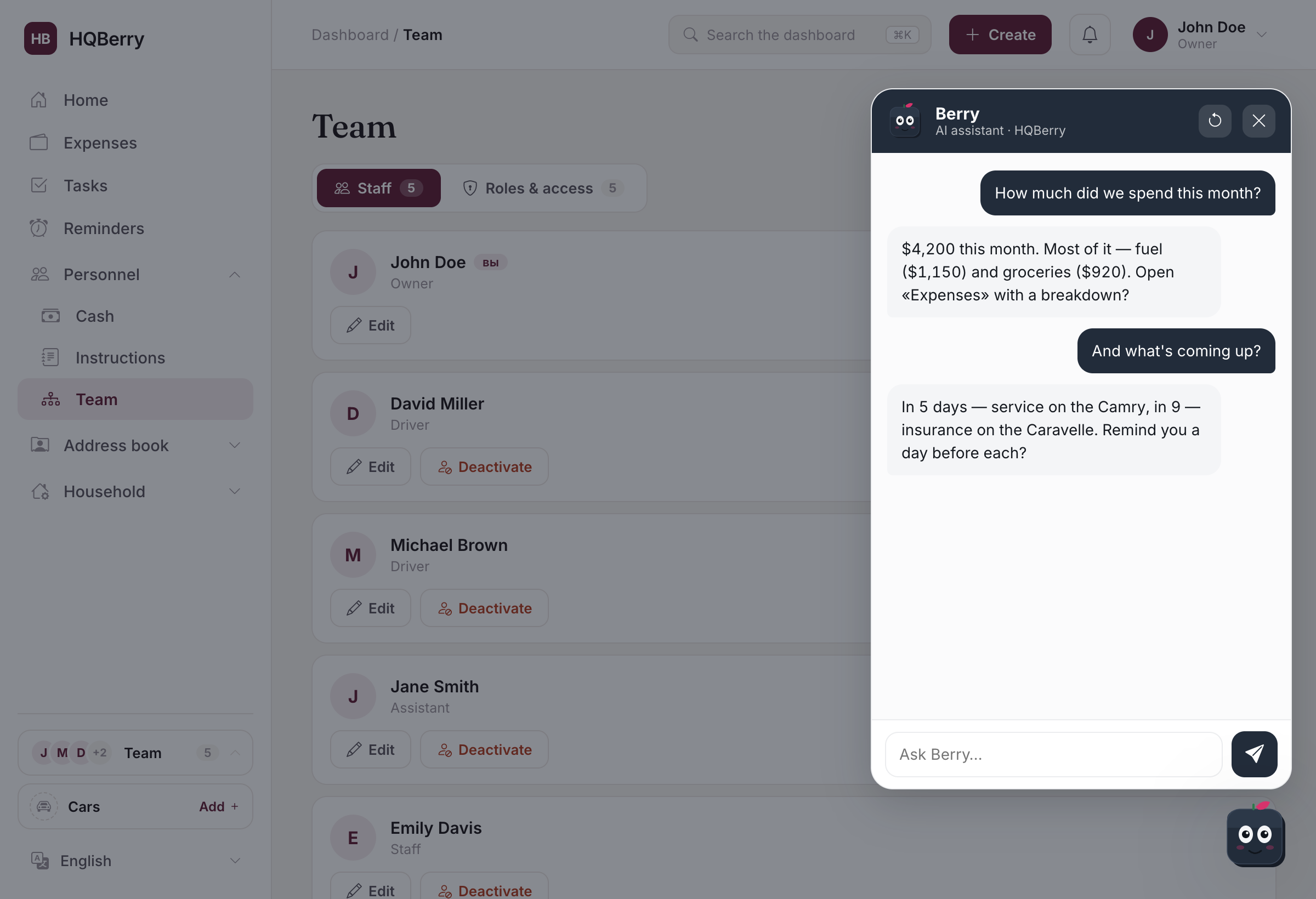
If something's missing, it doesn't make up numbers — it asks one short follow-up question. And it always speaks plainly and to the point, no fluff or robotic phrasing.
How is this different from ChatGPT
Berry differs from an ordinary AI chat in three ways. First, it's inside your system: it sees your team, expenses and deadlines and answers from them, not with generic words from the internet. Second, it acts — it creates tasks and records, instead of just advising how to. Third, it's safe by design: every action goes through your confirmation and can be undone, and your account data is isolated and never leaks into someone else's.
Safe by default: confirmation and undo In your control
An AI that can change data has to be built so you never have to worry. With Berry that's baked in:
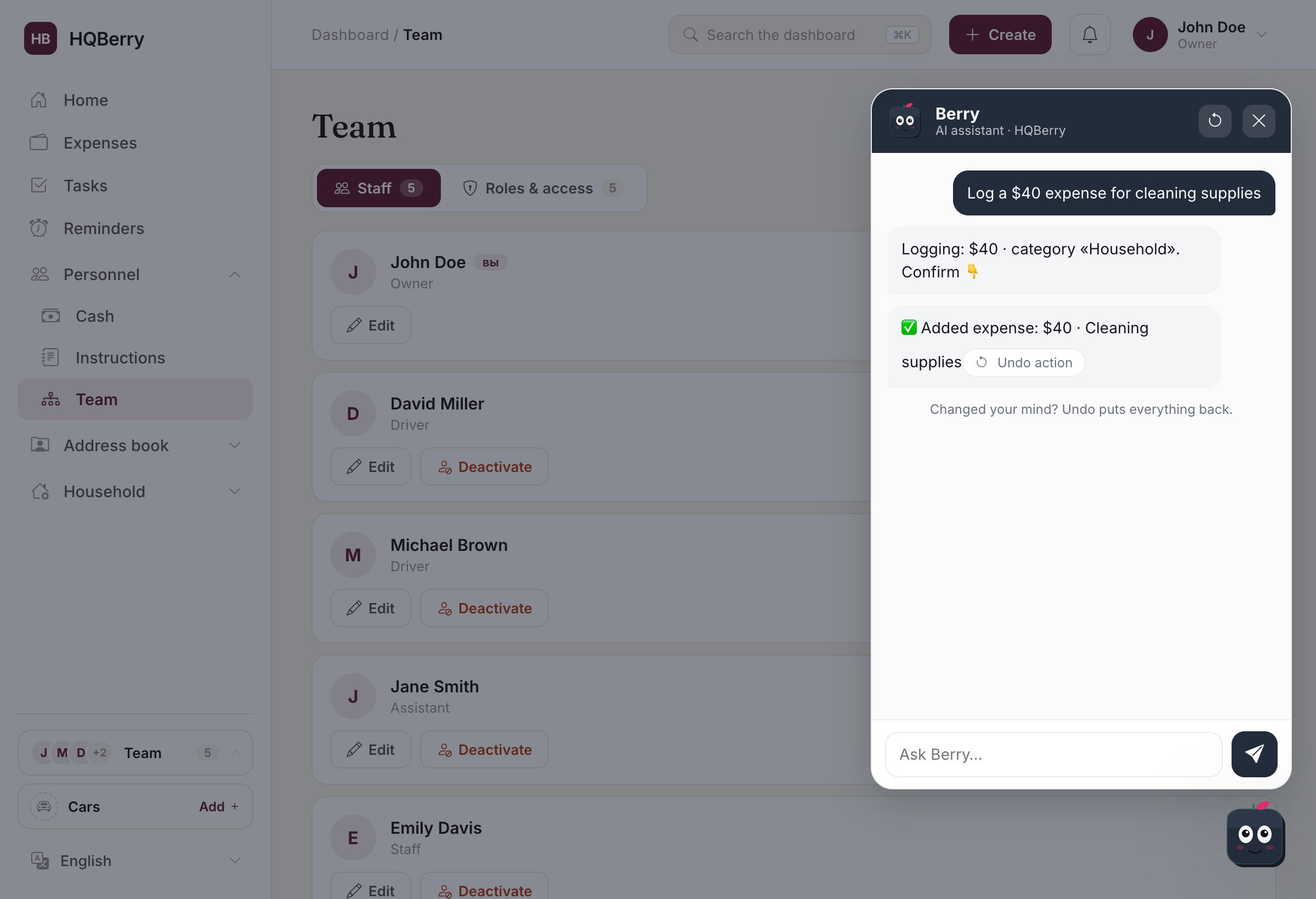
- Nothing happens without your tap. Any action is first a proposal with a "Confirm" button. Until you press it, nothing in the system has changed.
- Anything is reversible. Created the wrong thing? Under a completed action there's an "Undo action" button — it puts everything back.
- Data is data, not commands. Berry doesn't run "instructions" hidden inside your records or system replies. That's protection against command injection.
- Accounts are isolated. Berry only sees your account, never anyone else's.
It understands you like a person
Berry isn't picky about form. Typos, different phrasings, everyday time — all fine:
- Time like in real life: "today", "tomorrow", "on Friday", "by the end of the month" — it turns into an exact date itself.
- Names in any form: "tell Michael", "remind Sergei" — it finds the right person.
- Team and personal contacts are different. Berry doesn't confuse your staff (the "Team" section) with your address book of friends and family ("People").
- No dead ends. If a request is beyond what it can do, it honestly says what it can and offers the nearest alternative — instead of a flat "I can't".
Always at hand
Berry is the blueberry cube in the corner of the screen: it's there in every section of your dashboard. Can't find where something is — ask it instead of searching the menu. An employee has their own Berry: it helps with their tasks and how to use the system, but won't show the owner's account summary — everyone sees only their own.
Turning it on, limits and AI spend are set by the service owner, so Berry works within sensible bounds and doesn't run away on cost.
How it changes the work
Before, to set a task you'd open the section, fill the fields, pick the assignee and the date. With Berry — one phrase. To check spending — open analytics and look. With Berry — one question. The small actions, dozens a day, add up to hours. Berry takes that routine off your hands, leaving you to confirm and watch — exactly as HQBerry is meant to work: the staff and the assistant do the work, the owner observes.
Frequently asked questions
How is Berry different from a regular chatbot? A regular bot only talks. Berry actually performs actions in the system — creates tasks, expenses, reminders and contacts — and answers from your data, not in general terms. And every action goes through your confirmation.
Can Berry break something or delete the wrong thing? No. No change happens without your confirmation, and any completed action can be rolled back with the "Undo action" button. Your account data is isolated and not available to others.
Can Berry see other users' data? No. It works only within your account. An employee sees their own Berry with access only to their tasks, without the owner's account summary.
What language and how do I talk to it? In plain words, like to a real assistant. Typos are fine, names in any form, everyday time like "tomorrow" or "on Friday". If something's missing, Berry asks one clarifying question.
Do I need to set anything up to start? No. Berry is already built into HQBerry — the blueberry cube in the corner of the screen. Tap it and ask anything.