How to assign tasks to staff so they actually get done — not lost in chat
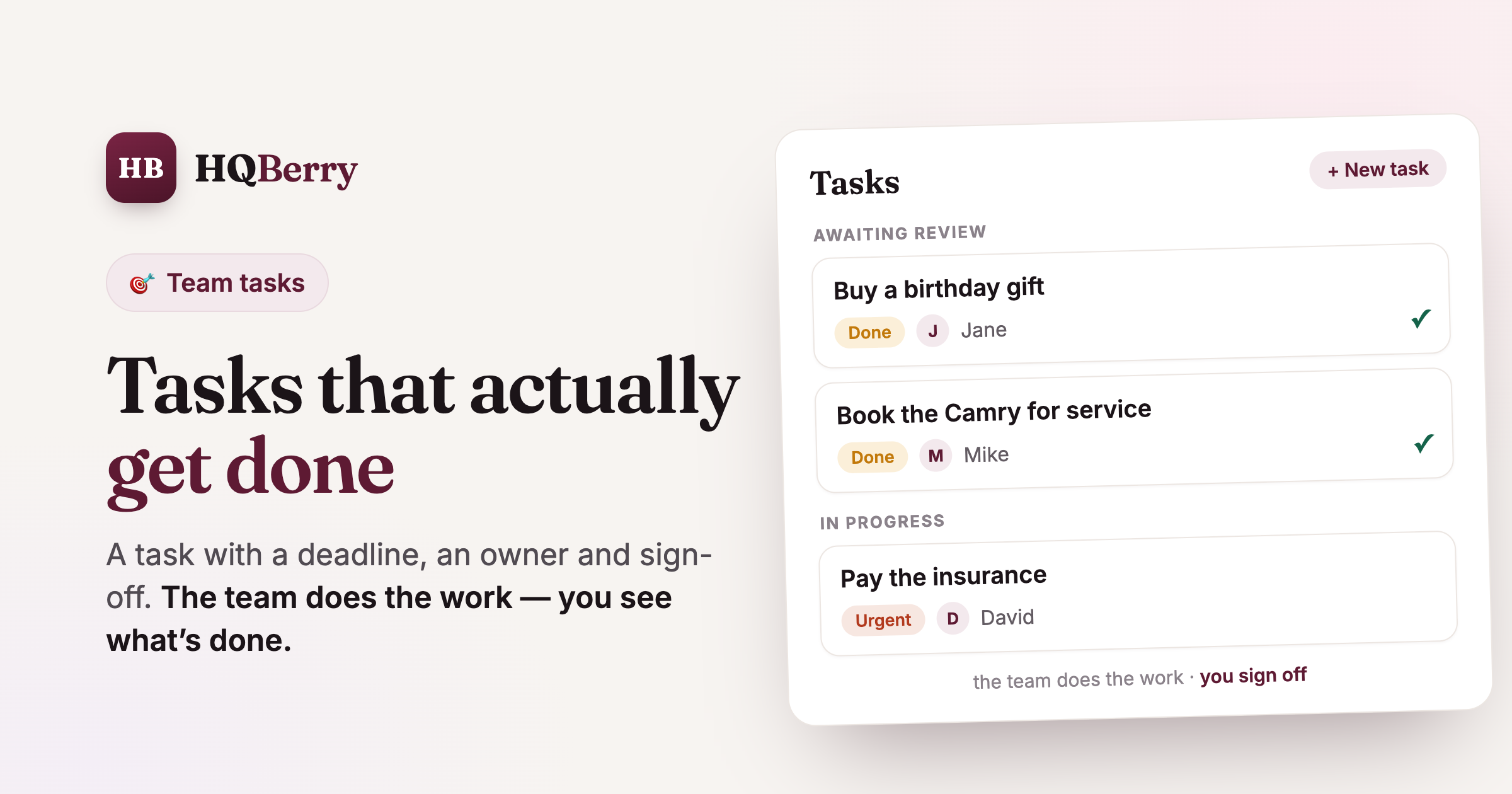
"Buy flowers by Friday," "pay the insurance," "book the car in for service" — you dropped three requests into a chat and moved on. Come Friday, the flowers aren't bought, because the message scrolled up under voice notes and memes. Sound familiar? The problem isn't a bad assistant. The problem is how the task was assigned.
The good news: there's a simple rule for this. Below is how to assign tasks to staff, an assistant or household help so they actually get done instead of getting lost. No time-management course required — just four things that turn "but I asked you" into "done and signed off."
In short: what a working task is made of
No time to read? Here's the gist, then we'll unpack each part:
- A result, not an intention. Not "sort out the car," but "book the Camry for service by Thursday."
- One owner. A task shared by two is a task owned by nobody.
- A deadline. Without a date, "I'll do it" means "someday."
- Sign-off. The employee marks it "done"; you mark it "accepted." Until you accept, it isn't closed.
A request that has these four things gets done more reliably than the most detailed one thrown into a chat. Here's why.
Why tasks get lost in a messenger
Tasks don't get lost because people forget — they get lost because of the medium. A messenger is a feed: every new message pushes the old one up. Your task lives in the chat only until the next voice note arrives. A day later it's unfindable, and it has no status — you can't tell whether anyone even picked it up.
Add the usual traps. A request goes into a group chat and nobody takes it, because it's unclear who it's for. Or you wrote it, the person read it, nodded — and forgot, because there was nowhere to log it. Or they did it but didn't say so, and you nudge for the third time just in case. None of that is laziness. It's that the request had no shape.
That's exactly why tasks belong somewhere separate from the chatter — somewhere each one has an owner, a deadline and a state. It can be a spreadsheet, a whiteboard or an app. Just not the group chat.
How to assign a task so it gets done
Let's take that rule step by step, with a real example: your assistant Jane needs to buy a gift and flowers for a partner's birthday.
1. Describe the result, not the process. The wording defines what "done" means. "Deal with the gift" is a direction, not a task. "Buy a bouquet and a small gift, budget up to 5,000" is a task: it's clear what to do and when it's finished.
2. Give it one owner. A task should have a single name on it. If two people are responsible, each assumes the other will handle it. Give it to the driver — that's Mike; to the assistant — that's Jane. One person you can calmly follow up with later.
3. Set a deadline. A date turns a wish into a commitment. "Buy it by Friday" is checkable; "buy it sometime" isn't. With a deadline, the system highlights the task as the date approaches and shows overdue ones in red, so they don't quietly dissolve.
4. Build in sign-off. This is the step that separates a request from a task. When finished, the employee marks it "done." You then accept the work — or send it back for a fix with a comment. Until you accept, the task isn't closed, and that's fair to both sides.
Here's what a task board built on this rule looks like: at the top, what's awaiting your review; below, what the team has in progress; every card shows the owner, the deadline and the status.
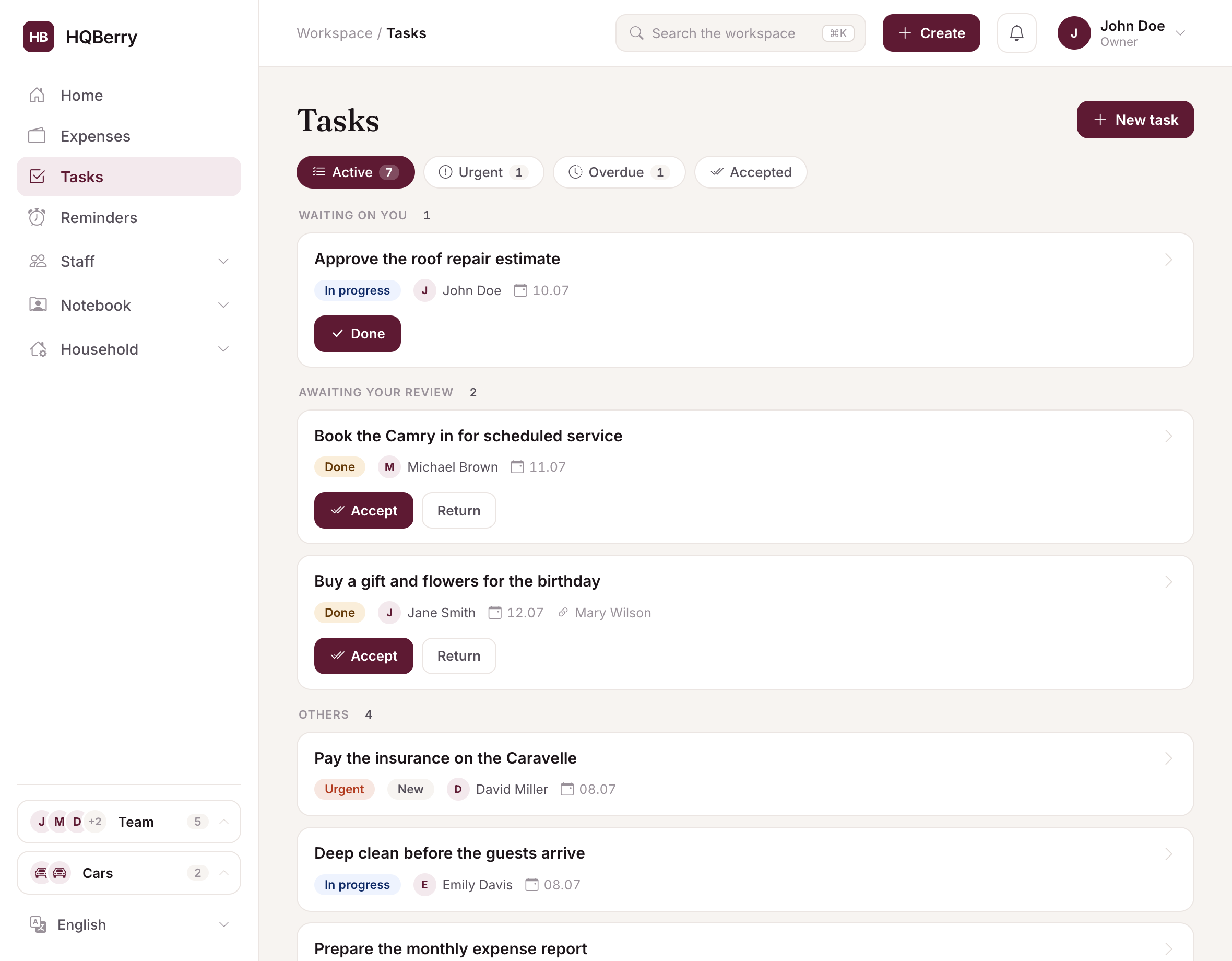
When every request lives in one place instead of scattered across chats, "where are we on tasks?" is answered with a single glance at the screen. You see who's busy with what, what's done and what's overdue — with no calling around.
"Done" doesn't mean "accepted" yet
Sign-off is what almost every way of tracking tasks is missing, and it's what solves the eternal "I did it, but not like that." The idea is simple: only the person who set the task can close it. The employee can mark it "done," but you place the final full stop.
That removes two painful scenarios. First: "I did it" out loud, while in reality it's half-done — now "done" is a request for review, not an automatic close. Second: the "you asked for the wrong thing" argument. Each task has a history — who set it, who started it, what they wrote in a comment, when they marked it done. Not to catch people out, but so you don't argue about what nobody clearly remembers anymore.

If the work is fine, you accept it and the task moves to closed. If not, you send it back with a couple of words on what to fix, and it's in progress again. No more "but I nearly did it."
Where to keep tasks: chat, a spreadsheet or an app
Straight answer: while it's one request a week, a chat is fine — but the moment there are several and there's an owner other than you, you need a medium with status and deadlines. Here's an honest comparison of the three.
| What matters | Chat | Spreadsheet | HQBerry |
|---|---|---|---|
| Already there, nothing to set up | ✓ | ~ | ~ |
| One owner and a deadline | ~ | ✓ | ✓ |
| A "done / accepted" status | — | ~ | ✓ |
| History: who, what, when | ~ | — | ✓ |
| Deadline reminder | — | — | ✓ |
| Doesn't drown in chatter | — | ✓ | ✓ |
| Staff see their own tasks | ~ | ~ | ✓ |
✓ yes · ~ partial or manual · — no. Chat wins on being already there with the whole team in it. The moment tasks pile up and sign-off matters, a task board wins.
That's exactly why in HQBerry tasks sit next to job descriptions (the standing rules) and people (a task can be linked to a contact — say, the person whose birthday it is). A one-off is a task; "always do it this way" is a job description. It pays not to mix them up.
Common mistakes when assigning tasks
Even with the right tool, it's easy to trip. The most common ones:
- Vague wording. "Sort out the apartment" means something different to everyone. Write a checkable result.
- No deadline. The task quietly drifts to the back of the queue and never returns. Set a date, even a rough one.
- Everything urgent. If every task is urgent, none of them is. Flag as urgent only what's genuinely on fire.
- Micromanagement. Five check-ins a day on one task cancels the whole point of delegating. Assign it, set a deadline — then let it be done; sign-off will show the result.
- Verbal deals on top of the system. If half your requests are in the app and half are "spoken," you get two unreliable lists instead of one reliable one.
Faster than filling in a form
If you'll be assigning tasks often, speed matters. Instead of opening a form, you can just tell the Berry AI assistant in a plain sentence: "give Mike a task to book the car in for service by Thursday." It works out who, what and by when, and all you do is confirm. The request gets logged in the same time it would take to type it into a chat — except it won't get lost.
That's the whole idea: not to make you or your team keep extra paperwork, but to make assigning a task easier than not assigning it. That's when people actually start using them.
FAQ
How do I assign tasks to staff so they get done? Follow four conditions: describe the result (not the intention), give it one owner, set a deadline, and always sign the work off. The employee marks it "done"; you mark it "accepted." A task with those four things gets done far more reliably than the most detailed request thrown into a messenger.
Why is a task in an app better than a request in a messenger? In a chat, a request sinks under newer messages and has no owner, deadline or status — you can't tell whether it's been picked up. In an app, every task has an owner, a date, a state and a history. Nothing gets lost, and there's no nudging for the third time.
What if an employee says "done" but it isn't? That's what sign-off is for. "Done" isn't a close — it's a request for review. You look at the result and either accept it or send it back for a fix with a comment. Until you accept, the task stays open, so there's nothing to argue about.
How do I remember to follow up on a task? Give the task a deadline and a reminder. The system highlights it as the date approaches, shows overdue ones in red, and the reminder comes through on Telegram. You don't have to hold deadlines in your head.
Does this work if I only have one assistant? Yes — and with a single assistant the effect shows up right away: requests stop getting lost and you stop nudging. If you genuinely have one request a month, a note is enough. The point kicks in where there are several tasks and it matters to see which are already done.