Job Descriptions for Household Staff: Ready Templates and How to Write One Fast
You hire a driver. On the first day you spend half an hour explaining: fuel up here, keep the receipts, in an accident call me first, no smoking in the car. A week later it turns out he remembered half of it, and when you ask "why didn't you keep the receipt" he says: "You never told me."
And you did tell him. Just out loud — and you can't prove or check something said out loud. With every new person in the house — a nanny, an assistant, a housekeeper — that same conversation starts over. The rules live only in your head, and every employee interprets them their own way.
A job description solves this once and for all: you write down what the role involves and how the work should be done a single time, then the employee reads it, confirms they understood — and now you can hold them to it. Below we'll cover what to put in one, and show how in HQBerry it takes a couple of minutes even for someone who has never written one before.
Why a job description, even if it's "just a nanny" or "just a driver"
Many people think job descriptions are only for a corporate office. At home they matter even more: there's no HR department, no mentor, and the person is left alone with your household, your children and your money.
A good job description gives you three things:
- A consistent result. Cleaning, driving, childcare are done the way you need, not the way the employee got used to at their last job.
- Less explaining. No need to repeat the same thing to every newcomer — you hand them the document and they're up to speed.
- Calm accountability. If a rule is written down and the employee marked it as read, the "I didn't know" argument is closed. You ask about the facts, not in the heat of the moment.
What a good job description should contain
You don't need legal language or ten pages. A working job description for household staff is a short, clear list of what to do and how. Four things are enough:
- A title — whose job it is: "Driver — rules of work", "Nanny — childcare".
- A short intro — what the role is about in two words.
- Duties, step by step — concrete actions, no fluff. One point, one rule.
- Who it's for — a specific role or person.
It's better to phrase each duty as an action, not a wish. Not "be careful behind the wheel", but "always keep to the speed limit, even if you're running late". Not "keep things clean", but "wash the car at least once a week". The more concrete it is, the less room for "but I thought…".
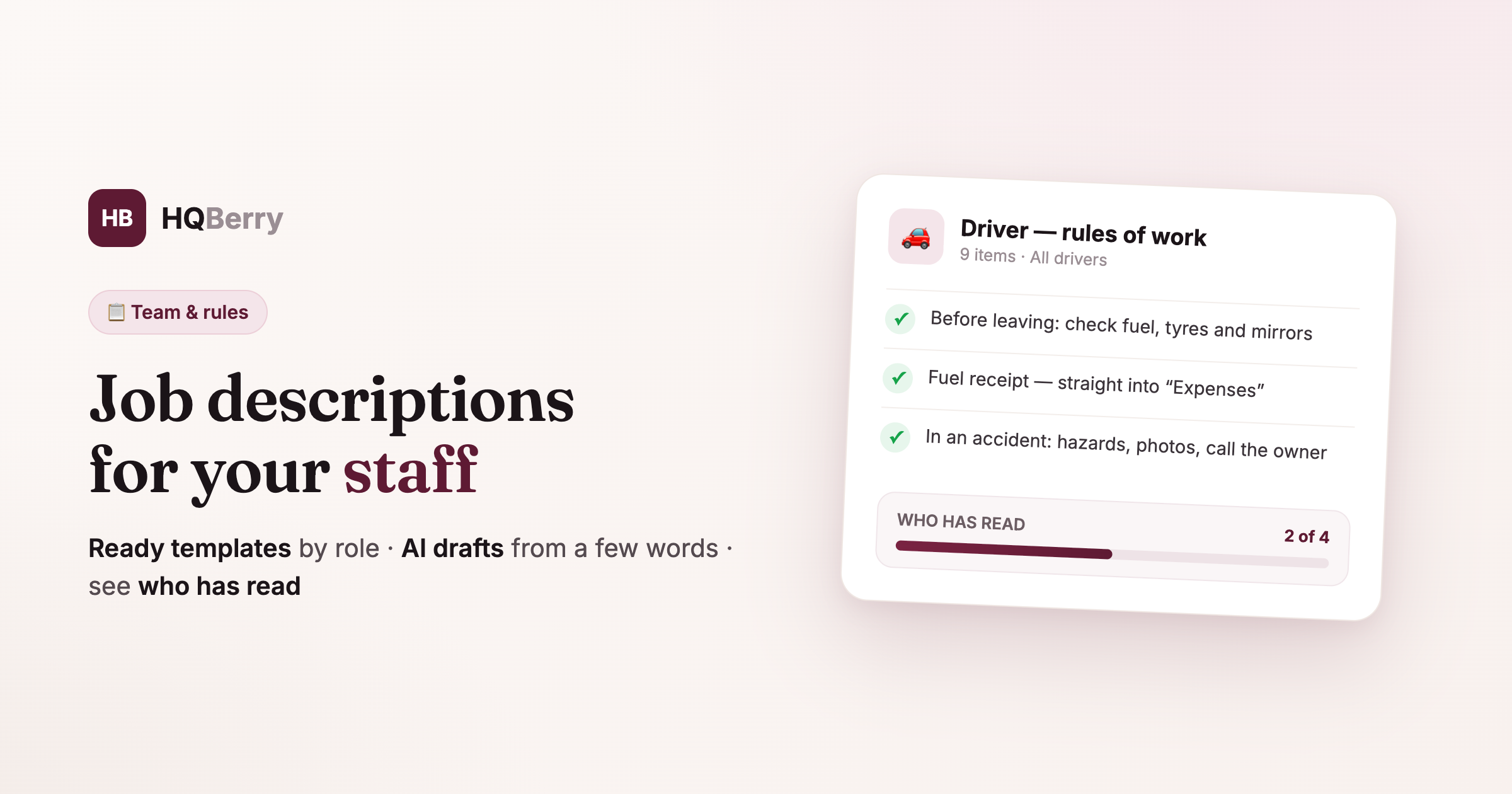
Example. Driver job description — excerpt:
- Before leaving, check: fuel, tyre pressure, oil, clean windows and mirrors.
- Fuel up only at the agreed stations. Keep the receipt and log it in "Expenses" the same day.
- Always follow the rules of the road and the speed limit, even if you're late — passenger safety matters more than time.
- Give at least 15 minutes' notice of any delay.
- In an accident: stop, switch on the hazards, photograph the scene and damage, call me, and if needed call the police and an ambulance.
This excerpt is part of a ready template already in HQBerry. More on templates next.
Ready templates for every role 7 ready
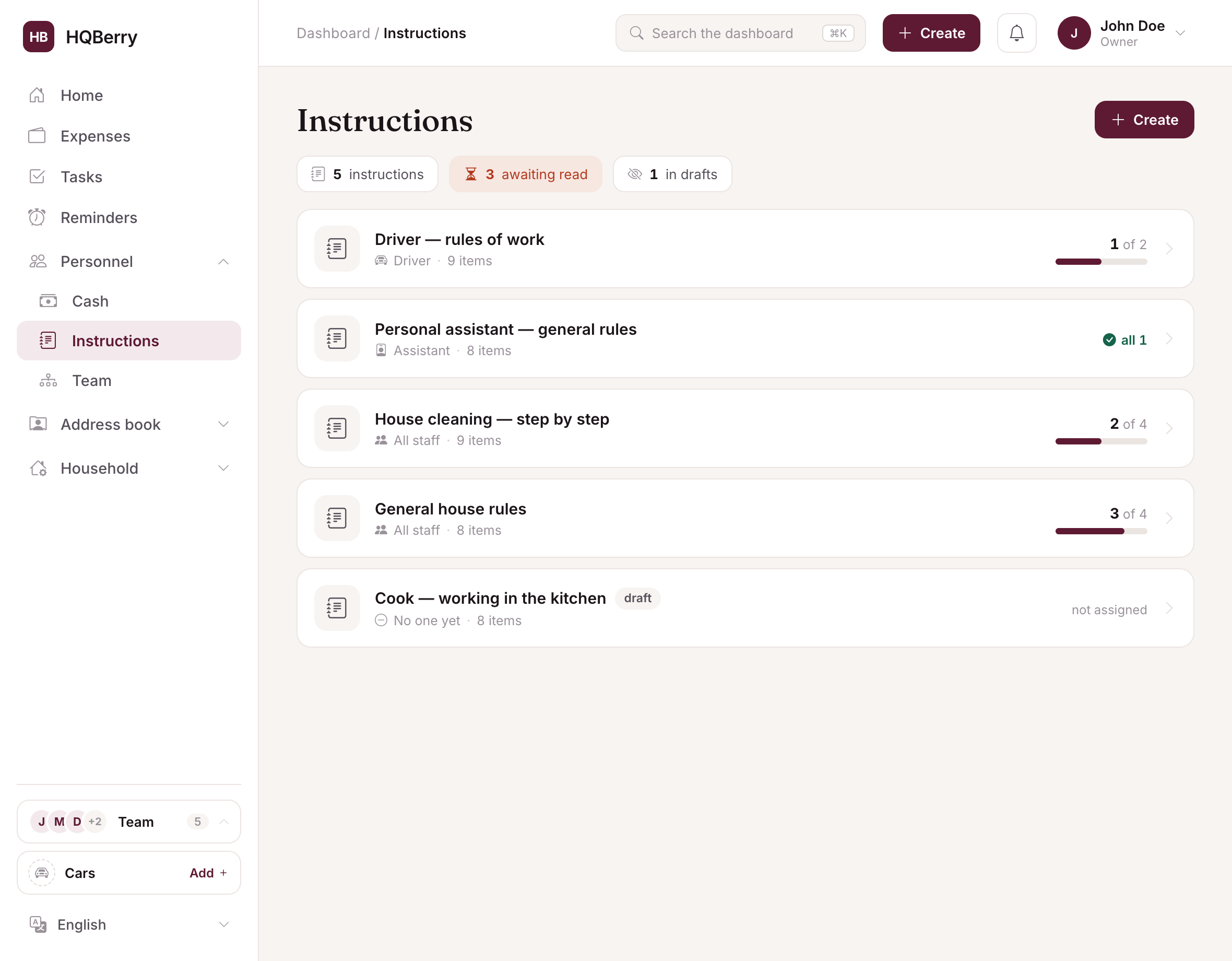
The hardest part of a job description is starting from a blank page. That's why HQBerry already has ready-made ones for the typical household roles. Pick the one you need — and the form fills with deep, work-ready text that you just tweak to fit:
- Driver — preparing the car, behaviour on the road, what to do in an accident, cleanliness.
- Nanny — daily routine, safety, meals by the menu, staying in touch with parents.
- House cleaning — the order of work, supplies, bathrooms, quality control.
- Cook — menu, groceries, hygiene, storing food.
- Personal assistant — planning the day, errands, purchases, confidentiality.
- Garden & grounds — watering, lawn, plants, tools, seasonal work.
- General house rules — for everyone: keys, guests, confidentiality, staying in touch.
Want to start from scratch — there's a blank page too. But nine times out of ten it's easier to take a ready one and remove the extra than to invent the wording yourself.
AI drafts the description from a couple of phrases AI-assisted
Sometimes the role you need isn't among the templates — say, "winter driving rules" or "how to receive guests". You don't have to write it all by hand.
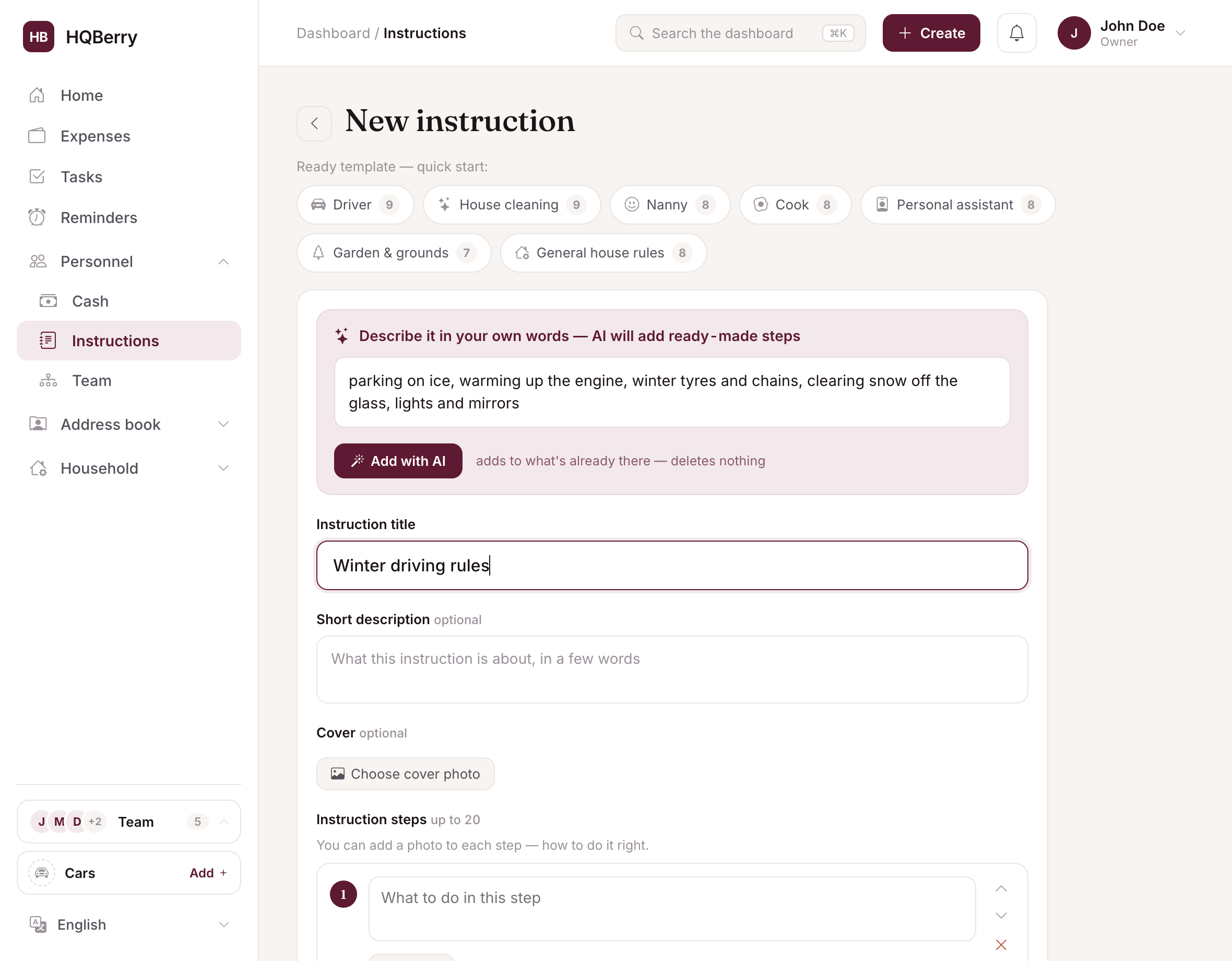
Describe what you need in your own words — literally a couple of phrases — and the built-in AI will add ready-made points. Type "winter driving rules: parking, ice, warming up" and you get a tidy list that you just review and save.
It works gently: the AI adds to what's already there and deletes nothing. Every added point is tagged, with a "remove added" button right next to it in case a suggestion didn't fit. Too few points — press "more steps with AI" and it continues the thought.
This way even someone who has never written a job description can manage: you give the meaning, the system handles the wording.
You assign it — and the person sees only their own
There's no need to forward a description to anyone. You choose who it's for:
- all staff at once;
- by role — for example, all drivers;
- a specific person.
The employee opens the app and sees only their own descriptions — nothing irrelevant from someone else's job. A newcomer is greeted with a short "Welcome to the team! Read the rules for your work" — and a list of what they need to study.
You can see who has read it and who hasn't In control
This is what neither a sheet of paper nor a message in a chat will give you. After reading it, the employee taps "I have read and understood" — and the system remembers who did so and when.
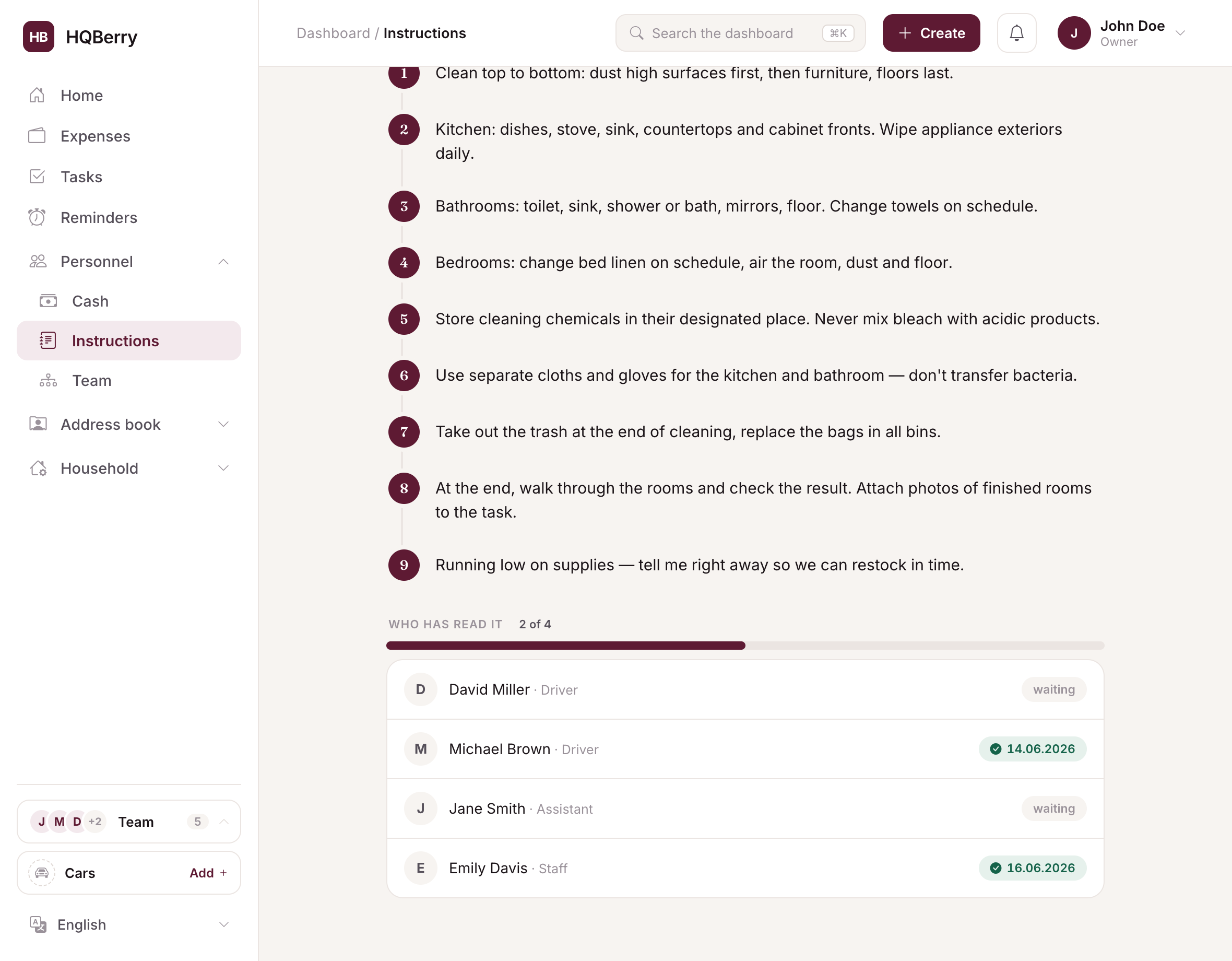
And on your side you see a board: how many people out of how many have already read it. "2 of 4", "all 4", with a progress bar and a list of names — some with a date, others still "waiting". No need to walk around asking "did you read it?" — it's all on one screen.
Rules changed — ask everyone to read it again
Rules change over time: you moved, switched fuel stations, added a child to the family. You edit the description and, if the change is important, tick a box — the system bumps the version and asks everyone to read it again. The old "read" mark is cleared, and the board again shows who is up to date with the new rules and who isn't.
This way the document is always alive, not a yellowed sheet the employee saw once when hired.
How it works in practice: you write it once, the system handles the rest
The core principle of HQBerry: you set the rules up once, then the team works by them and you simply watch. Hired a new person — they open their own descriptions and mark them as read themselves. Changed a rule — everyone is automatically asked to read it. All that's left for you is a glance at the board to confirm everyone is up to date.
In HQBerry these job descriptions live in the Instructions section of your dashboard. It comes with the service alongside tasks, expenses, reminders and personal files of people — everything for running your staff in one place.
Frequently asked questions
How is a job description different from a verbal agreement? What's spoken can't be shown or checked — "I didn't say that" versus "I didn't hear that". A written job description the employee marked as read closes that dispute: the rule is on record, and so is the acknowledgement.
Do you need a job description for household staff? Legally it isn't required for private hiring, but in practice it's most useful precisely at home: there's no HR or mentor, and the employee's responsibility is high — children, the house, money. A job description sets a single standard of work.
I don't know what to write. Is it hard? No. You can take a ready template for the role you need (driver, nanny, assistant, cleaning, cook and others) and tweak it. And if your topic isn't there — describe a couple of phrases in your own words, and AI will assemble the points for you.
How do I know the employee actually read it? The employee taps "I have read and understood", and their name appears on your board with a date. You can see at once who has read it and who hasn't — no walking around and asking.
What if the rules change? Edit the description and mark the change as important — the system bumps the version and asks everyone to read it again. You again see on the board who is up to date with the new rules.